On-page SEO best practices come down to seven things: a title tag with your keyword near the front, a meta description that earns the click, a keyword placed naturally in the first 100 words and one or two headings, internal links to related pages, compressed images, a clean URL, and basic schema markup. None of it works if the page underneath is slow or thin. This guide covers each practice in the order that actually moves rankings, what tools to check it with, how long results take, and when on-page SEO isn't the fix your website actually needs.
Most "on-page SEO checklists" read like a list someone copied from a tool's audit report without ever explaining why each line matters. That's how you end up with a title tag stuffed with keywords and a meta description nobody wrote on purpose.
The direct answer: on-page SEO optimization means making each individual page as easy as possible for Google to understand and for a person to want to click. The core practices are a clear title tag with the keyword near the front, a meta description written to earn the click, the keyword placed naturally in the first 100 words and in at least one heading, internal links to related pages, compressed images, a clean URL, and basic schema markup. Do these well and you've covered what actually moves rankings on a single page.
This guide walks through each practice, what to check it with, how long results take, and when on-page SEO isn't actually your problem.
What on-page SEO actually means
On-page SEO is everything you control directly on a page, the title tag, headings, content, internal links, images, and URL. It's different from technical SEO, which covers site-wide issues like crawlability, site speed, and mobile rendering, and different again from off-page SEO, which is mostly backlinks and how the wider internet links to and talks about your site.
The three work together, but on-page is where most Nigerian small business websites lose easy points, not because the work is hard, but because nobody on the team has actually sat down and gone through a page line by line. A WordPress theme doesn't write your title tags for you. A web designer focused on how the page looks rarely thinks about what Google reads in the page's head section.
The good news: on-page SEO is the part of SEO you can fully control without waiting on anyone else, no backlinks to chase, no algorithm update to hope for. Fix the page, and the fix is live the moment you publish.
Title tags and meta descriptions that actually get clicked
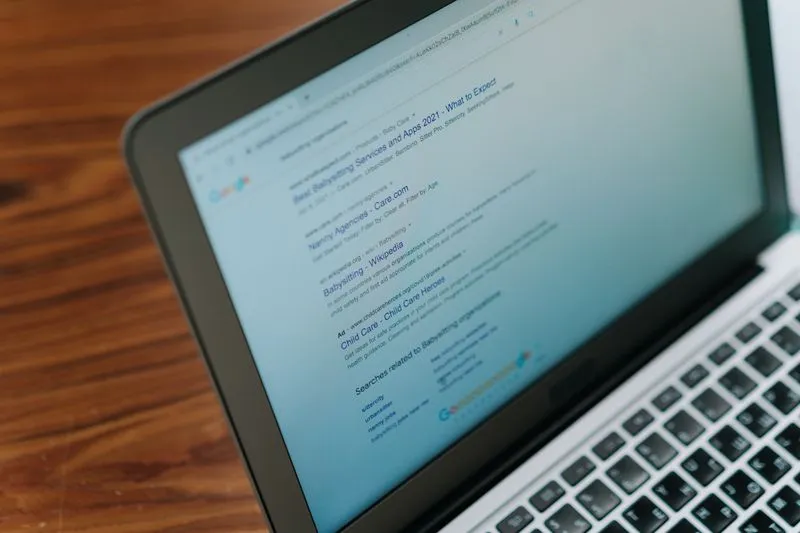
The title tag is the blue link in Google's results. The meta description is the grey text underneath. Together they decide whether someone clicks your result or the one above or below it, which matters because click-through rate itself is a ranking signal Google watches over time.
Put your primary keyword near the front of the title tag, not buried at the end. Keep it under 60 characters so Google doesn't cut it off with "..." in the middle of a word. Write it like a human reading it would want to click it, not like a label on a filing cabinet.
The meta description doesn't directly affect rankings, but it's free ad copy for your own page. Use it to answer "why should I click this one" in plain language, 150 to 160 characters, with the keyword included naturally. A meta description that just restates the title wastes the space.
Most WordPress sites can edit both directly through Yoast SEO or Rank Math, two free plugins. If your site doesn't have either installed, that's worth fixing before anything else on this list.

Where your keyword needs to go, and where it doesn't
Mention your primary keyword in the title tag, the URL, the first 100 words, and at least one heading. That's it. You don't need it five more times scattered through the body, and stuffing it in repeatedly can actually hurt rankings rather than help them.
Write naturally and include variations the way a person would actually phrase them, "SEO services Lagos" and "SEO company in Lagos" both serve the same intent without forcing the exact same string into every sentence. Google has understood synonyms and related phrases for years now. Writing for a human first and checking the keyword is present second produces better pages than writing for the keyword first.
If you're not sure where your page currently stands on this, Google Search Console shows you which queries are already bringing traffic to a page, free, which tells you what Google already thinks the page is about, sometimes more accurately than you'd guess.
Headings that help readers and Google at the same time
H1 is your page title, used once. H2s break the page into sections, the way the headings in this guide do. H3s break sections into sub-points where needed.
Headings that work as statements, not labels, do double duty: they help a skimming reader find the part they need, and they give Google clear topic markers throughout the page. "What to check before paying for SEO" tells you and Google more than "SEO Tips" does.
This matters more than it sounds. A page with one wall of text and no headings asks a lot of both your reader and the algorithm trying to understand it. Break the content up. If a section runs past 300 words without a subheading, it's probably trying to cover two topics at once.
Internal links, the easiest on-page win Nigerian websites skip
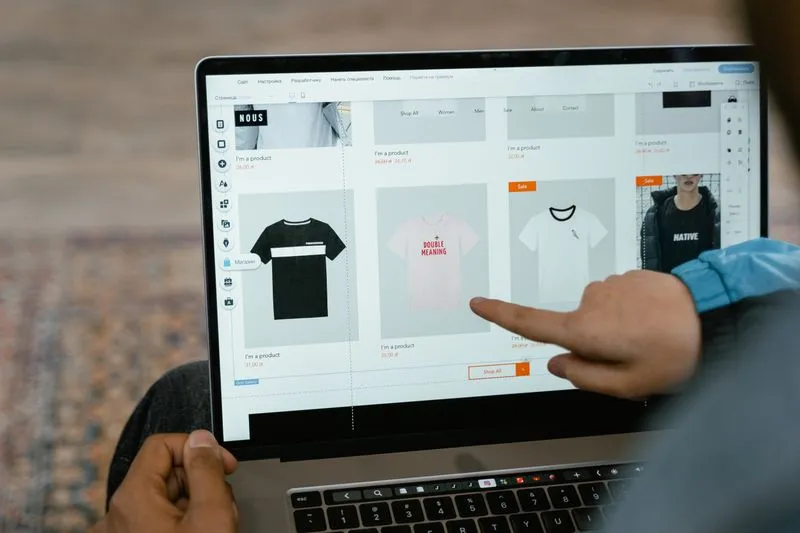
Internal links, links from one page on your site to another, do two jobs: they help visitors find related content, and they tell Google which pages on your site matter most and how they relate to each other.
Most small business sites in Nigeria have almost none. A services page sits there with no link to the blog post that explains the service in depth. A blog post never points back to the page where someone could actually book the service. Every page exists on an island.
The fix costs nothing and takes an afternoon: go through your most important pages and add 3 to 5 links to genuinely related content on each one, using descriptive text rather than "click here." Link from new content to older relevant pages every time you publish something, and the effect compounds over months without any extra work.

Image optimization for faster-loading pages
Large, uncompressed images are one of the most common reasons Nigerian websites load slowly, and page speed affects both rankings and whether a visitor sticks around long enough to read anything.
Compress every image before uploading it, using a free tool like TinyPNG or Squoosh, and use modern formats like WebP where your platform supports it. Always fill in the alt text, a short, accurate description of the image, which helps visually impaired visitors using screen readers and gives Google another signal about what the page covers.
If your website loads in over 3 seconds on a Nigerian mobile connection, this is usually where to start looking first, before touching anything else on this list. A page can have perfect title tags and headings and still lose the visitor before any of it loads.
A URL structure that doesn't fight against you
A URL like /blog/on-page-seo-best-practices/ tells a visitor and Google exactly what the page is about before either of them reads a word of content. A URL like /post?id=482&cat=3 tells them nothing.
Keep URLs short, lowercase, and built from real words separated by hyphens, ideally including the primary keyword. Once a URL is published and indexed, avoid changing it without setting up a proper redirect, because changing it without one breaks every link pointing to that page, including the ones Google has already indexed.

How long on-page SEO takes to show results
Honest answer, based on real client averages: on-page fixes alone, done properly, show movement faster than backlinks or content strategy because there's no waiting on outside factors, but "faster" still means weeks, not days. Low-competition local keywords typically show first movement in 60 to 90 days. Medium-competition national keywords take 4 to 6 months.
On-page SEO is the foundation underneath those numbers, not a separate timeline. A perfectly optimised page on a slow, low-authority site climbs slower than a decently optimised page on a fast, well-linked site. That's not a reason to skip on-page work, it's the reason on-page work and technical and off-page work all need to happen together rather than in isolation.
Here's the opinion that gets debated in every SEO group on Twitter: content length is overrated, content depth is not. A 700-word page that actually answers the question outranks a 2,000-word page padded with filler more often than people expect. The top three results for most Nigerian search terms run 800 to 1,200 words. Match the depth the query needs, not an arbitrary word count target.

When on-page SEO isn't your actual problem
Sometimes the honest answer is that on-page fixes won't move the needle much, and a guide that pretends otherwise isn't being straight with you.
If your site takes more than 3 seconds to load, that's a technical and hosting problem first. Perfect title tags on a slow site are decoration on a foundation that needs fixing before anything else helps.
If you have almost no backlinks and you're competing for a genuinely competitive keyword, on-page work alone won't out-rank a competitor with real domain authority behind them. We had a client ask why a competitor with "clearly worse" content outranked them for a high-volume term. The competitor had 47 backlinks from Nigerian news sites and directories. Our client had 2. We built 18 relevant links over four months, and the client overtook the competitor by month five, on-page tweaks alone would have changed nothing in that case.
If your Google Business Profile is unoptimised and you're a local business, that's often a faster win than chasing on-page perfection on a blog post nobody local is searching for yet.
None of this means skip on-page SEO. It means know which lever you're pulling, and don't expect a title tag rewrite to fix a backlink problem or a hosting problem.

Want to learn on-page SEO yourself?
If this is the kind of thing you'd rather handle in-house than pay an agency a monthly retainer for, Alpha Digital Network runs SEO training in Abuja, online, and as 1-on-1 sessions for individuals and corporate teams.
The training goes deeper than this guide: how to audit your own pages with free tools like Google Search Console and Yoast, how to build an internal linking structure that actually compounds, and where on-page SEO ends and technical or off-page SEO needs to pick up. Even business owners who plan to hire an agency eventually find it useful, because it's much easier to judge whether an agency is doing real work once you know what real on-page SEO looks like.
- →SEO expert in Nigeria , a wider look at what an SEO expert actually does beyond on-page fixes.
- →SEO services in Nigeria , if you'd rather hire this out than handle it page by page yourself.
- →SEO training in Lagos , for a more structured path through this and the rest of SEO.
- →Send us a message , for a free audit of where your pages are losing easy on-page points.
Want to learn SEO yourself?
We train individuals and organisations across Nigeria and Africa. In person in Abuja, online, one-on-one, or as a group session for your team. Everything we do for clients, we teach. You walk away with skills you can use the next day.

Frequently Asked Questions About On-Page SEO Optimization
- What are the most important on-page SEO factors?
- Title tags, meta descriptions, keyword placement in the first 100 words and headings, internal links, image optimisation, URL structure, and basic schema markup. Of these, title tags and page speed (closely tied to image optimisation) tend to have the most visible impact, because they affect both whether someone clicks your result and whether Google can crawl and understand the page easily.
- What is the difference between on-page and off-page SEO?
- On-page SEO is everything you control directly on a page, content, headings, title tags, internal links, and images. Off-page SEO is mostly backlinks, other websites linking to and vouching for yours. Technical SEO sits alongside both and covers site-wide issues like crawlability and mobile rendering. All three need attention; on-page is the one you can fix without waiting on anyone else.
- How many times should I use my keyword on a page?
- Once in the title tag, once in the URL, once in the first 100 words, and once in at least one heading. Beyond that, write naturally and use variations the way a person would actually phrase them. Repeating the exact keyword phrase five or six times across a page is keyword stuffing, and it can hurt rankings rather than help them.
- Why do backlinks matter for on-page SEO optimization?
- Backlinks are technically off-page SEO, not on-page, but they decide how far on-page work can take you. A perfectly optimised page on a site with almost no backlinks will struggle against a competitor with real domain authority for a competitive keyword. On-page SEO and backlinks aren't competing priorities, they're different levers that both need pulling for a competitive term.
- What free tools can I use to check my on-page SEO?
- Google Search Console shows which queries already bring traffic to a page and flags indexing issues, free. Yoast SEO or Rank Math (WordPress plugins) check title tags, meta descriptions, and keyword placement as you write. PageSpeed Insights and Google's Mobile-Friendly Test cover the technical side. TinyPNG or Squoosh compress images before upload. None of these cost anything to start with.
- How long does on-page SEO take to show results?
- Low-competition local keywords typically show first movement in 60 to 90 days after on-page fixes go live. Medium-competition national keywords take 4 to 6 months, and on-page work is the foundation underneath that timeline rather than a separate one. A well-optimised page on a slow or low-authority site still climbs slower than the same page on a fast, well-linked one.
- Does page speed count as on-page SEO?
- Page speed sits between on-page and technical SEO, image optimisation and code bloat on a specific page are on-page fixes, while server response time and hosting are technical. In practice it's worth treating as priority one regardless of the label: if a site takes more than 3 seconds to load on a Nigerian mobile connection, fix that before refining title tags or headings.
- Should I hire someone for on-page SEO or do it myself?
- On-page SEO is one of the most learnable parts of SEO, title tags, headings, internal links, and image compression don't require specialist tools or years of experience. Technical SEO audits and competitive backlink strategy are harder to do well without experience. Many business owners handle on-page fixes themselves and bring in an agency for the technical and off-page work once they've outgrown DIY.
These Q&As are emitted as FAQPage schema in the page head. Google may show them directly in search results.
Still not sure? Send us a message.
If you're not sure whether your pages have real on-page problems or the issue sits elsewhere, send us a WhatsApp message or give us a call. We'll look at a page or two and tell you honestly what's actually holding it back.