
Most Nigerian business websites load in 8–14 seconds on a mobile 4G connection. Google ranks your site based on its mobile version, and 76% of Nigerian internet traffic is mobile. Anything over 3 seconds means you're losing visitors before they see a single product or read a single line. The fixes are not complicated: compress your images (biggest win), move to better hosting, enable a CDN, minify your code, and design for a mobile screen first. This guide walks through all five in the order that will have the most impact on your load time and your rankings.
A fashion retailer in Lagos came to us asking why their Instagram following wasn't converting. We pulled up their website. It took 14 seconds to load on a Lagos 4G connection. The Instagram traffic was arriving, clicking, and leaving in under three seconds, before a single product loaded.
They'd been spending ₦200,000 a month on Instagram ads for six months. Not one of those months did anyone check the website speed.
The direct answer: 76% of Nigerian internet traffic is mobile. Google's mobile-first indexing means Google ranks your site based on how it performs on a phone, not a desktop monitor. If your website loads in over 3 seconds on a Nigerian 4G connection, you are losing customers, losing rankings, and losing money, in that order.
This guide covers the five most common reasons Nigerian websites are slow, how to test your own speed for free, and what to fix first.

Why Nigerian mobile connections punish slow websites
Google uses mobile-first indexing. When Google decides where your site ranks, it uses the mobile version of your site, not desktop. Your desktop version can look fast and clean. If the mobile version is slow, that's what Google is judging.
The average Nigerian 4G connection runs at 13 Mbps. That sounds reasonable until you realise a site that loads in 2 seconds on fibre loads in 10–14 seconds on that same connection, if the files are large enough.
What that means for your business:
- Google measures Core Web Vitals: how fast the largest element renders, how stable the layout is while loading, and how quickly the page responds to input. Slow scores pull your rankings down directly.
- A site that takes over 3 seconds loses 53% of mobile visitors before they see anything. That number is from Google's own research.
- Your competitors with faster sites are getting those clicks instead of you.
Every second above 2 seconds costs you visitors. Every lost visitor is a lost customer. And Google's ranking algorithm is actively rewarding faster sites.

Five things that make Nigerian websites slow
In the websites we audit, the same five problems show up nine times out of ten:
1. Uncompressed images. A business owner copies a product photo from WhatsApp and uploads it without resizing. A photographer posts a direct camera export. Images account for 60–80% of a webpage's total file size, and uncompressed images are the single biggest performance killer. One product page with 12 full-resolution photos can weigh 25 MB. It should weigh under 2 MB.
2. Cheap shared hosting. The ₦5,000/year hosting plan puts your site on a server with hundreds of other websites. When those sites get traffic, your site slows down. There's no way around this. Cheap shared hosting has a ceiling on performance, and that ceiling is low.
3. No CDN. A CDN (Content Delivery Network) stores copies of your static files on servers around the world. Without one, every visitor in Lagos, Kano, or Port Harcourt fetches files from a server that may be physically in the UK or US. The distance adds seconds.
4. Bloated code. WordPress plugins load scripts on pages that don't need them. JavaScript runs before the page renders. CSS files include styles for features not in use. Code bloat adds load time at every page request.
5. No caching. Without caching, every page visit triggers the server to rebuild the page from scratch. With caching, repeat visitors load a pre-built stored version. The difference can be 3–5 seconds per load.
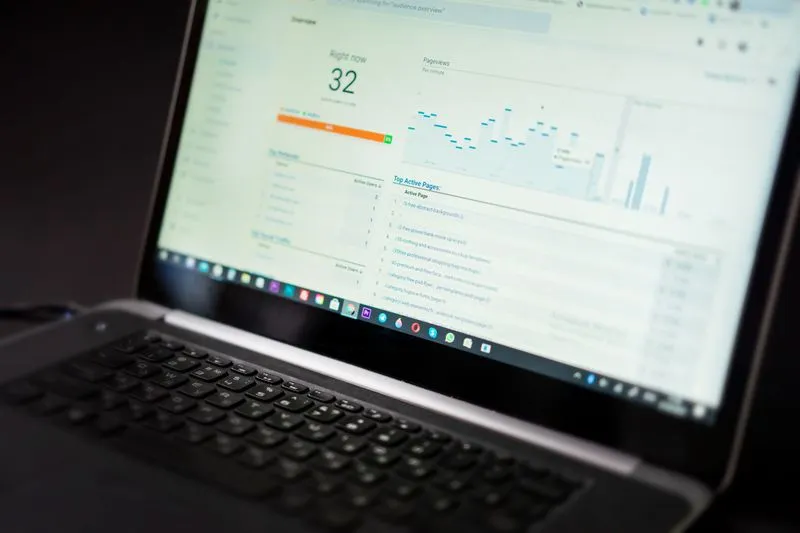
Which ones apply to your site? The speed test below tells you.
How to test your website speed
Two tools. Run both.
[Google PageSpeed Insights](https://pagespeed.web.dev/): Paste your URL, switch to the Mobile tab, and read the score. Under 50 is poor. 50–89 needs improvement. 90+ is good. The report lists exactly what's dragging your score down, in order of impact.
[GTmetrix](https://gtmetrix.com/): Free account gives you a test from a real device on a simulated connection. Set the location to London (closest usable server to Nigeria) and the connection to 4G. You get a waterfall chart showing which files load slowly and in what order.
Write down: your current mobile PageSpeed score, your GTmetrix load time on 4G, and the top 3 Opportunities in the PageSpeed report. Those three items are your priority list.
Fix 1: Compress and resize your images
This is almost always the biggest win. Do this before anything else.
Resize before uploading. A product image displayed at 400px wide doesn't need to be 4,000px wide. Resize to 1.5–2× the display size (800px for a 400px slot, to allow for high-density screens). Any basic image editor handles this.
Convert to WebP. WebP files are 25–35% smaller than JPG at the same quality. Every modern browser supports WebP. On WordPress, a plugin like Imagify or ShortPixel converts and compresses in one step.
Compress existing images. Run them through Squoosh (free, browser-based) or TinyPNG. Target under 200 KB per image for below-fold images, under 500 KB for hero images.
Add loading="lazy" to below-fold images. One attribute per image tag tells the browser not to download images the visitor hasn't scrolled to yet. Saves load time on every page.
The fashion retailer we mentioned? Their site was 11 MB on load. Images alone were 8.9 MB. One week of compression and a hosting switch brought the load time from 14 seconds to 2.3 seconds. Bounce rate dropped from 91% to 43%.
Expected result: most sites see 40–60% reduction in page size from image optimisation alone.
Fix 2: Move off cheap shared hosting
This is the fix most businesses resist because it costs more. It's also often the most impactful fix after images.
Cheap hosting is priced cheaply because the server is packed with hundreds of other accounts. When any of those accounts get traffic, the server slows down. You have no guaranteed performance baseline.
What works better:
- Business or Pro shared hosting from Namecheap, SiteGround, or Hostinger: ₦15,000–₦35,000/year. Faster hardware, less overcrowding.
- VPS (Virtual Private Server): A dedicated share of a server, not shared with hundreds of others. ₦25,000–₦80,000/year.
- Managed WordPress hosting (Kinsta, WP Engine, Cloudways): Expensive but fast, ₦80,000–₦200,000/year. The hosting company manages caching, CDN, and server configuration.
Rule of thumb: if your site gets 5,000+ monthly visits and your revenue depends on it, cheap hosting is costing you more in lost business than the upgrade costs.
Fix 3: Use a CDN
A CDN stores copies of your static files, images, CSS, JavaScript, on servers in multiple locations. When a visitor in Port Harcourt loads your page, the files come from the nearest server rather than from the UK or US.
The free option: Cloudflare. Cloudflare's free tier works as both a CDN and basic security shield. You point your domain's nameservers to Cloudflare, and it handles content delivery. Setup takes under an hour using their guided process at cloudflare.com.
For a Nigerian business with UK or US hosting, a CDN typically reduces load time by 1–3 seconds for Nigerian visitors. It stacks with the other fixes.
Fix 4: Minify your code
Minification removes spaces, line breaks, and comments from your HTML, CSS, and JavaScript files. The code works the same. It just takes less time to transfer.
A 200 KB JavaScript file can become 130 KB after minification. On a slow connection, that matters.
On WordPress: Install WP Rocket (paid, around ₦25,000/year) or the free W3 Total Cache. Both have minification options you enable with a checkbox. Enable it, test your site, confirm nothing breaks.
On custom-built sites: A developer should be running a build process (Webpack, Vite, or similar) that minifies automatically. If they aren't, ask them to add it, it's a one-line configuration change in most build tools.
Impact on a typical small business site: 0.5–1.5 seconds. Not the biggest win, but it's free and low-risk once a caching plugin is in place.
Fix 5: Design for mobile first
This is as much a design fix as a performance fix.
Mobile-first means you design for the smallest screen first, then scale up to desktop. The reverse, designing for desktop and scaling down, results in a mobile experience that loads too much, shows too much, and performs slowly.
What essential features for a responsive website design look like in practice:
- Fluid layouts that adapt to any screen width using percentages and CSS Grid or Flexbox
- Flexible images with max-width: 100% so images don't overflow their containers
- Media query breakpoints targeting at least three states: mobile (under 768px), tablet (768–1024px), desktop (1024px+)
- Touch-friendly navigation with minimum 48×48px tap targets, thumbs are not mouse cursors
- Smaller images on mobile using the picture element or CSS to swap image sizes by screen width
- No autoplay video in hero sections, background video adds 2–5 MB to first load on mobile
If your site was designed for desktop first and has never been rebuilt for mobile, a proper redesign requires developer time. A 5-page business site with mobile-first build and SEO setup costs ₦350,000 at Alpha Digital Network. For a site driving real business, that pays back.
When to hire someone vs. doing it yourself
Some of these fixes are within reach for a non-technical business owner:
You can do these yourself:
- Compressing images with Squoosh or TinyPNG
- Setting up Cloudflare (free tier, guided setup)
- Installing a basic caching plugin on WordPress
- Checking PageSpeed Insights and reading the report
Hire a developer for:
- Moving your site to better hosting without breaking it
- Properly configuring minification and caching in WordPress
- Converting a large product image catalogue to WebP
- A mobile-first redesign if the site is fundamentally desktop-first
- Anything involving DNS if you're not confident with nameservers
Test: if you have to ask what a nameserver is, don't touch nameservers. Call someone.
A website speed audit and optimisation from Alpha Digital Network costs ₦120,000 as a one-off. That covers the full technical audit, image optimisation, caching setup, CDN configuration, and a written report on what was fixed and why. If a mobile-first redesign is needed, that's quoted separately.
Start with the free tests. PageSpeed Insights and GTmetrix will tell you exactly where your problems are. Fix images first. If the score is still under 60 after that, it's worth a call.
- →Web design packages and Naira pricing , see what a proper mobile-first build includes and what it costs before anything starts.
- →SEO services in Nigeria , once your site loads properly, this covers what SEO actually involves and what it costs.
- →Google Business Profile in Nigeria , the free local tool that drives more calls than most paid campaigns.
- →Get a free site speed audit , we'll run the tests, identify the problems, and tell you honestly what it'll take to fix them.

Frequently Asked Questions About Website Speed in Nigeria
- How do I know if my Nigerian business website is too slow?
- Test it at pagespeed.web.dev (Google PageSpeed Insights) on the Mobile tab. A score under 50 is poor. Also run a GTmetrix test set to London server and 4G connection. If your load time is over 3 seconds, you're losing visitors before they see your content.
- What is a good website load time for Nigeria?
- Under 3 seconds on a simulated 4G mobile connection. Under 2 seconds is ideal. The average Nigerian 4G connection runs at 13 Mbps. A site that loads quickly on fibre can take 10–14 seconds on that connection if the files are uncompressed.
- Does website speed affect my Google ranking in Nigeria?
- Yes, directly. Google uses mobile-first indexing and measures Core Web Vitals, page load speed, visual stability, and interactivity, as ranking signals. A slow site ranks below a comparable faster site. 76% of Nigerian internet traffic is mobile, so Google's mobile-first approach affects Nigerian sites significantly.
- Can I improve my website speed without a developer?
- Some of it, yes. Compressing images with Squoosh or TinyPNG, setting up a free Cloudflare CDN, and installing a caching plugin on WordPress are tasks a non-technical owner can handle. Hosting migration and mobile-first redesign require a developer.
- What is Core Web Vitals and why does it matter for Nigerian websites?
- Core Web Vitals are three Google metrics: Largest Contentful Paint (how fast the main content loads), Cumulative Layout Shift (how stable the layout is), and Interaction to Next Paint (how quickly the page responds). Google uses these as ranking signals. Nigerian sites on slow hosting or with large uncompressed images routinely fail all three.
- Does cheap hosting make a website slower in Nigeria?
- Yes. Budget shared hosting puts your site on a server with hundreds of other websites. When any of those sites get traffic, your site slows down. There's no guaranteed performance baseline. Moving to a business or VPS hosting plan typically reduces server response time by 0.5–2 seconds.
- How much does website speed optimisation cost in Nigeria?
- Alpha Digital Network charges ₦120,000 as a one-off for a full speed audit and optimisation: image compression, caching setup, CDN configuration, and a written report. If a mobile-first redesign is needed, that's quoted separately. A 5-page redesign is ₦350,000.
- What is the single fastest fix for a slow Nigerian website?
- Compress your images. Images account for 60–80% of most webpage file sizes. Running existing images through Squoosh or TinyPNG and resizing them to display dimensions typically reduces page weight by 40–60%, usually the biggest single performance gain available.
These Q&As are emitted as FAQPage schema in the page head. Google may show them directly in search results.

Still not sure? Send us a message.
If you've run the PageSpeed test and the score is bad, or you've been meaning to fix your site speed for months and haven't had the time, send us a message on WhatsApp or give us a call. We'll look at your site, run the tests, and tell you honestly what's dragging your score down and what it would take to fix it. If it's something you can do yourself, we'll tell you that. If it needs developer time, we'll give you a quote.