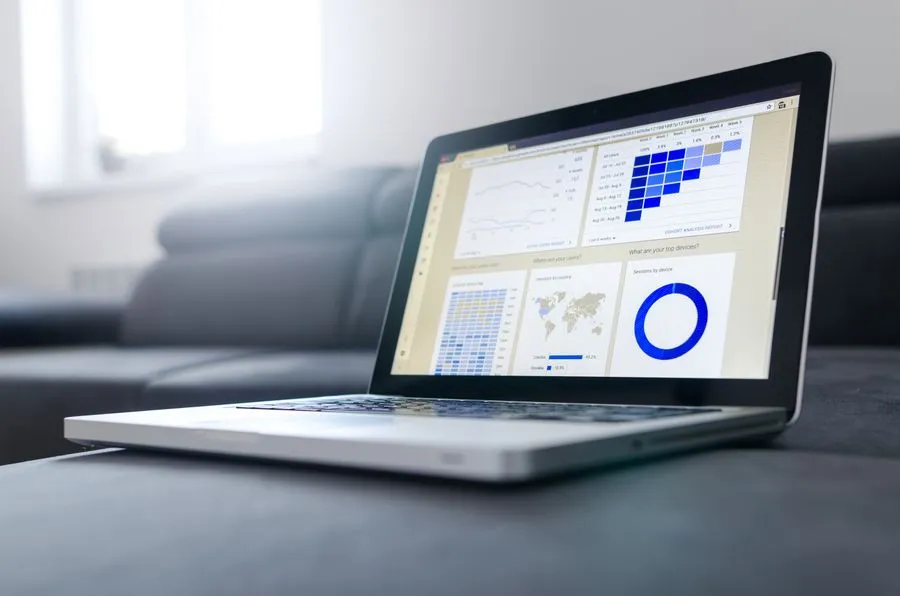
Google Analytics 4 is Google's free tool that shows who visits your website, where they come from, and what they do. To set it up for a Nigerian business, create an account, choose Africa/Lagos and Nigerian Naira, add a web data stream, install the tag, and confirm data in the Realtime report. Then mark WhatsApp clicks, calls, and form submissions as key events, because visits alone do not pay your bills. You need a website that gets visitors first. If you do not have one, build that before you measure it.
Google Analytics 4 tells you who visits your website, where they came from, and what they did, and it costs nothing.
The direct answer: to use Google Analytics 4 as a beginner in Nigeria, create a free account at analytics.google.com, set your time zone to Africa/Lagos and your currency to Nigerian Naira, add your website as a web data stream, install the tag, and check the Realtime report. Then tell it what counts as success for your business, such as WhatsApp clicks, calls, or form submissions. The rest is reading three or four reports once a month.
Most Nigerian business websites have been live for years without anyone checking who visits. The site is paid for, the domain is renewed, and the analytics are a mystery. You have probably done this. It is fine. Today is a good day to stop.

What is Google Analytics 4 and what does it show you
Google Analytics 4, usually called GA4, is Google's free analytics tool that records what visitors do on your website or app. It replaced the older Universal Analytics, and it works by tracking events, such as a page view, a click, or a form submission.
In plain terms, GA4 answers five questions:
- Who visits? How many people, from which country and city, on which device.
- Where do they come from? Google search, Instagram, WhatsApp links, direct visits, or ads.
- What do they look at? Which pages get read and which get ignored.
- Do they stay? How many people engage with the page versus leaving at once.
- Do they act? How many click your WhatsApp button, call you, or fill in your form.
That last question is the one that matters. A website with 1,000 visits and no enquiries is a billboard in a field. GA4 shows you which kind you have.
How do you set up Google Analytics 4 step by step
Set up GA4 by creating an account, a property, and a web data stream, then installing the tag on your website. Google's own instructions, in its setup guide for websites, follow the same order. Allow about 20 minutes.
- Create an account. Go to analytics.google.com, sign in with a Google account you will keep, and click Start measuring. Use a business email, not a personal one that disappears when you change phones.
- Create a property. Name it after the website. Set the reporting time zone to Africa/Lagos and the currency to Nigerian Naira. Pick your industry and business size.
- Add a web data stream. Enter your website address and a name, and leave Enhanced measurement on. It automatically records scrolls, outbound clicks, site search, and file downloads.
- Copy the Measurement ID. It starts with G- and sits under the stream details.
- Install the tag. On WordPress, the easiest route is the free Site Kit plugin from Google, which connects Analytics and Search Console without touching code. Other platforms have a Google Analytics field where you paste the Measurement ID.
- Check it works. Open your website in one tab and the Realtime report in another. You should see yourself. Google says data can take up to 30 minutes to appear in other reports.
If your website is slow, fix that before you measure it. Our guide to website speed in Nigeria covers the checks, and an analytics tag will not make a slow site faster.
How do you track WhatsApp clicks, calls, and forms as key events
Tell GA4 which actions matter by marking them as key events, which older guides call conversions. For most Nigerian businesses, that means a click on your WhatsApp button, a tap on your phone number, and a contact form submission.
Why this matters: in Nigeria, many enquiries never arrive as an email. They arrive as a WhatsApp message. If you only count form submissions, your analytics will say your website brings nothing, when it is actually sending you five chats a day.
How to approach it:
- WhatsApp button. GA4 may already record the click as an outbound click if your button links to a wa.me address. Check the Events report after clicking your own button, and if nothing shows, use Google Tag Manager or a plugin to create a custom event.
- Phone number. Create an event for taps on the tel: link. Many visitors call from their phone straight off the page.
- Contact form. Record the thank-you page view or the submit event.
- Mark them as key events. In GA4, go to Admin, then Events, and switch on the key event option for the ones you care about.
Test each one yourself. Click the button, watch the Realtime report, and confirm the event appears. Skipping this step is why many setups look fine and report nothing.
If you drive customers to chat, our guide to WhatsApp marketing for Nigerian businesses shows how to do it without annoying people.

Which GA4 reports should a small business read first
Read the Acquisition, Engagement, and Pages reports first, because they tell you where visitors come from, whether they stay, and what they read. The other reports can wait.
- Acquisition. Shows traffic by source, such as organic search, direct, social, and referral. This is where you learn whether Google, Instagram, or WhatsApp links bring the visitors.
- Engagement, then Pages and screens. Shows your most viewed pages and how long people spend on them. Your best pages tell you what to write more of.
- Key events. Shows how many WhatsApp clicks, calls, and form submissions happened, and from which source.
- Tech and demographics. Shows device and location. In Nigeria, many visits often come from mobile phones, which should shape how you design your pages.
A fashion retailer in Lagos once asked us why their Instagram following was not converting. Their analytics, had anyone looked, would have shown the answer: visitors arriving from Instagram and leaving within three seconds, because the site took 14 seconds to load on a Lagos 4G connection. We fixed the speed in a week and bounce rate fell from 91% to 43%. They had spent ₦200,000 a month on Instagram ads for six months, and none of those months included a look at the numbers.

Which numbers matter and which can you ignore
Focus on four numbers: users, engagement rate, key events, and traffic by source. Everything else is decoration until you have a reason to look.
| Number | What it tells you | Look at it |
|---|---|---|
| Users | How many different people visited | Monthly |
| Engagement rate | Share of visits where people actually stayed and interacted | Monthly |
| Key events | WhatsApp clicks, calls, form submissions | Weekly at first |
| Traffic by source | Which channel sends the visitors | Monthly |
Numbers you can safely ignore for now: average session duration on its own, per-page scroll depth, and any report with a name you cannot explain to a friend.
My honest opinion: check where your customers actually come from before you spend on marketing. Some businesses get 90% of their clients from referrals or Instagram. For them, spending on Google Ads or SEO first might be the wrong call, and analytics is how you find out for free.
How do you connect Search Console and track campaigns with UTM links
Link Google Search Console to GA4 to see the search terms behind your visits, and add UTM tags to your links so you know which campaign or post sent each visitor.
- Search Console link. In GA4 Admin, find the product links section and connect your Search Console property. You then see which Google searches lead to which pages. Our guide to SEO for small businesses in Nigeria explains how to use that data.
- UTM links. Add three tags to links you share: source (for example whatsapp), medium (for example broadcast), and campaign (for example december-restock). A link ending in ?utm_source=whatsapp&utm_medium=broadcast&utm_campaign=december-restock will show up in your Acquisition report under exactly that name.
UTM tags are the difference between "some traffic came from social" and "the Friday WhatsApp broadcast brought more visits than the Instagram post". Use consistent lowercase names, because GA4 treats WhatsApp and whatsapp as different sources.
If you send newsletters, tag those links too. Our guide to email marketing in Nigeria covers what to send.

What Nigerian settings and privacy rules should you check
Check your time zone, currency, data retention, and consent wording. Google Analytics collects visitor data, so Nigeria's data protection rules apply, and the Nigeria Data Protection Commission is the regulator.
Practical checks:
- Time zone and currency. Africa/Lagos and Nigerian Naira, so your reports match your day and your sales.
- Data retention. GA4 keeps detailed event data for a short period by default. In Admin, under data collection and modification, set data retention to the longest option, 14 months, so you can compare this year with last year.
- Internal traffic. Filter your own visits and your team's, or your numbers will flatter you. You are not a customer.
- Privacy wording. Mention analytics in your privacy policy, and say what you collect and why. If you collect customer personal data or serve visitors from other countries, ask a qualified lawyer to review your wording once.
I am not a lawyer, and this is a practical checklist, not legal advice.

Which GA4 mistakes cost small businesses the most
The costliest mistakes are not setting up key events, counting your own visits, and never looking at the data. All three are easy to fix and common in new setups.
- No key events. The setup works and reports visits, but nothing tells you which visits matter.
- Counting your own traffic. If you open your site fifty times a week, you inflate your numbers.
- Duplicate tags. A plugin and a pasted code can both fire, doubling every visit. If your numbers look strangely high, check this.
- Tracking everything. Twenty custom events you never read are worse than three you review every month.
- Short data retention. The default setting limits your look-back, so year-on-year comparison fails.
- Never opening it. The most common one, and the most expensive.
Nobody wakes up wanting to audit event names. You do it once, properly, and then you stop thinking about it.

What should you do in your first week and every month after
In week one, install the tag, mark your key events, and confirm they fire. After that, spend 30 minutes once a month reading four numbers and writing down one decision.
First week:
- Day 1: create the account and property and install the tag.
- Day 2: confirm Realtime data and test your WhatsApp, phone, and form events.
- Day 3: mark key events, set data retention, and filter internal traffic.
- Day 7: look at what has arrived. It will be small. That is normal.
Every month:
- Check users, engagement rate, key events, and traffic by source.
- Note your top three pages and your weakest page.
- Write one decision, such as "write a second article on the topic of our top page" or "fix the slow page".
If you write content, our guide to content marketing in Nigeria shows how to turn what you find into the next article.

When do you not need Google Analytics yet
You do not need Google Analytics yet if you have no website, your site gets almost no visitors, or you will not look at the numbers. A measuring tool cannot fix a missing audience.
Honest cases where I would tell you to wait:
- You have no website. Build the site first. Our guide to building a website for a small business in Nigeria covers it.
- Your site is slow or broken. If it takes more than 3 seconds to load, speed comes first, since slow pages lose visitors before analytics can even count them.
- Your customers never visit a website. If every sale starts in a WhatsApp chat or a phone call, your numbers will be tiny. Set up WhatsApp Business first.
- You will not read it. A dashboard you never open is a very free way to feel organised.
This is also where I tell you not to hire us. The setup is free and takes an afternoon, and you can do it yourself with this guide and Google's own help pages. Come to us when you want tracking built across your website, ads, and WhatsApp together, or when you want your team trained to read the numbers.
If you have read this far, you now know more about GA4 than most people who have paid for the dashboard and never logged in. That is a low bar, but you cleared it.

Want to learn Google Analytics directly from us?
We train individuals and teams to set up and read analytics on real websites, with feedback on your own tracking, reports, and decisions. In person at our Abuja hub, online, one-on-one, or as a group session for your team. Google also offers free beginner courses through Skillshop, which are worth doing alongside any training.
Our training programs page has the details, and our guide to the best SEO tools for small businesses in Nigeria shows where analytics fits among the other free tools.
- →Best SEO tools for small businesses , where analytics sits among the other free tools.
- →Website speed in Nigeria , fix a slow site before you measure it.
- →Content marketing in Nigeria , turn what the numbers show into your next article.
- →Our training programs , learn analytics on a real website, in Abuja, online, or one-on-one.
- →Our services , if you would rather have us set up tracking across your site, ads and WhatsApp.
- →Ask us where to start , tell us what your website needs to do and we will say what to measure, free.
Want to learn Google Analytics yourself?
We train individuals and organisations across Nigeria and Africa. In person in Abuja, online, one-on-one, or as a group session for your team. Everything we do for clients, we teach. You walk away with skills you can use the next day.

Frequently Asked Questions About Google Analytics 4 in Nigeria
- Is Google Analytics 4 free?
- Yes. Google Analytics 4 is free for standard use, which covers almost every small business. You create an account at analytics.google.com, add your website as a data stream, and install the tag. Paid options exist for very large enterprises, but a Nigerian small business does not need them.
- How do I set up Google Analytics 4 for my website in Nigeria?
- Create an account, then a property with the time zone set to Africa/Lagos and the currency set to Nigerian Naira. Add a web data stream with your website address, copy the Measurement ID that starts with G-, and install the tag using your website platform's analytics field, Google Tag Manager, or the Site Kit plugin on WordPress. Check the Realtime report to confirm it works.
- How long does GA4 take to show data?
- Realtime data usually appears within minutes, and Google says data can take up to 30 minutes to show in other reports. Some reports update with a delay of a day. If nothing appears after a few hours, check that the tag is installed on every page and that no ad blocker is hiding your own visits.
- Do I need Google Tag Manager to use GA4?
- No. For a basic setup you can install the tag directly or use a plugin. Google Tag Manager becomes useful later, when you want to track custom actions such as WhatsApp button clicks or phone taps without editing your website code each time.
- How do I track WhatsApp clicks in GA4?
- GA4's Enhanced measurement may already record clicks on a wa.me link as outbound clicks. Click your own WhatsApp button and watch the Realtime and Events reports. If nothing appears, create a custom event with Google Tag Manager or a plugin, then mark it as a key event so GA4 counts it as a result.
- What numbers should a beginner check in Google Analytics?
- Check four things monthly: users, engagement rate, key events such as WhatsApp clicks, calls, and form submissions, and traffic by source. Together they show who visits, whether they stay, whether they act, and which channel sends them. Ignore the rest until you have a specific question.
- Is it legal to use Google Analytics in Nigeria?
- Using analytics is common, but it collects visitor data, so Nigeria's data protection rules apply. Mention analytics in your privacy policy, explain what you collect and why, and keep visitor data secure. This is practical guidance, not legal advice, so if you hold sensitive data or serve visitors abroad, have a qualified lawyer review your wording.
These Q&As are emitted as FAQPage schema in the page head. Google may show them directly in search results.

Still not sure? Send us a message.
If you have installed Google Analytics 4 and cannot tell what the numbers mean, or you are not sure whether you need it yet, send us a WhatsApp message or give us a call. Tell us what your website is meant to do and we'll say what to measure and what to ignore. If the free setup in this guide is enough, we will tell you that too. No pitch. Just the honest answer.